Guide for Patients
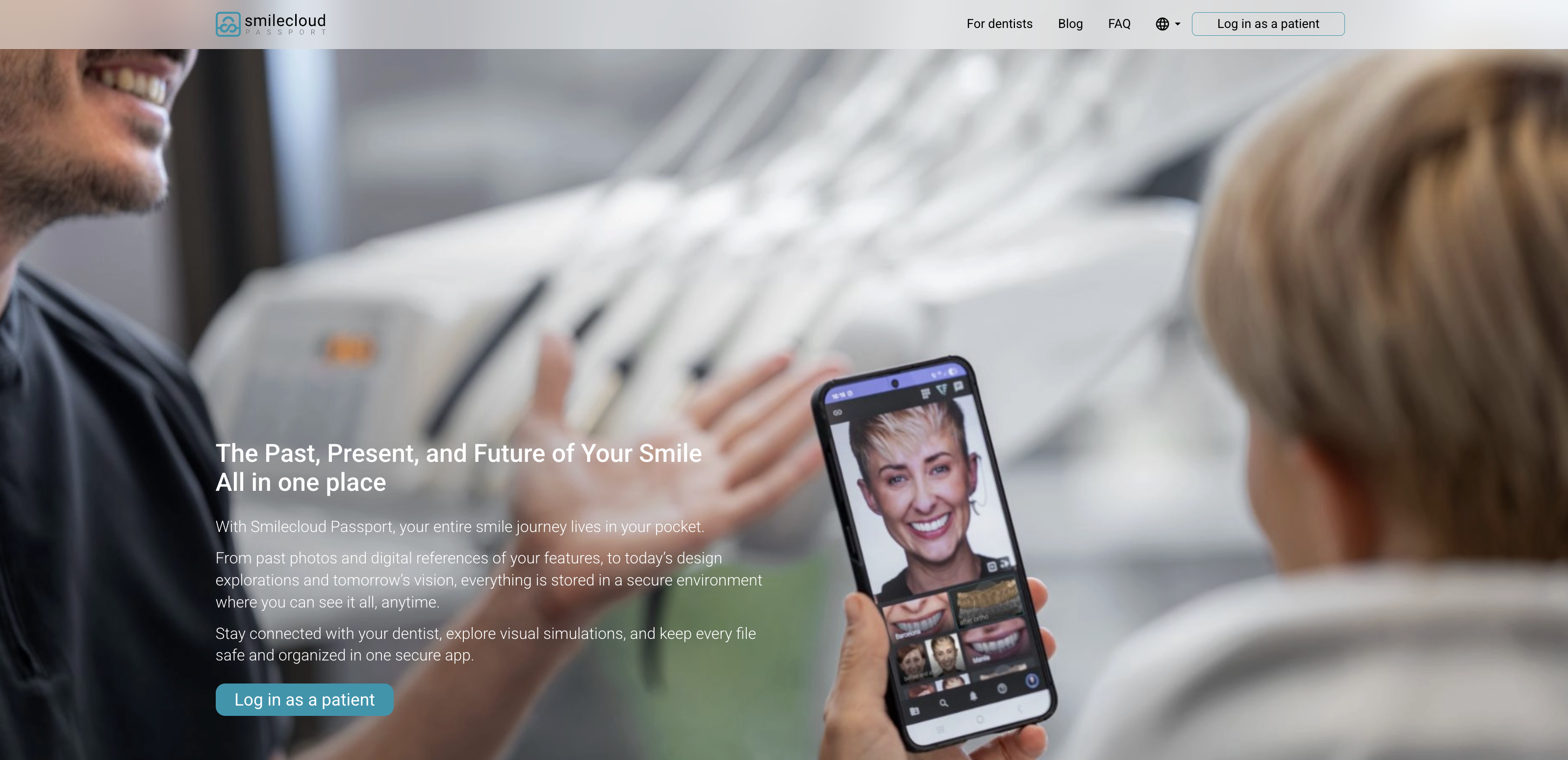
Smilecloud Passport lets you view the dental documentation and smile designs your dentist shares with you, and stay in touch with your care team from your phone.
To get started, your dentist will connect you to your case using a QR code or an email invitation. Have your phone ready and make sure you can access the email address you provided to the clinic.
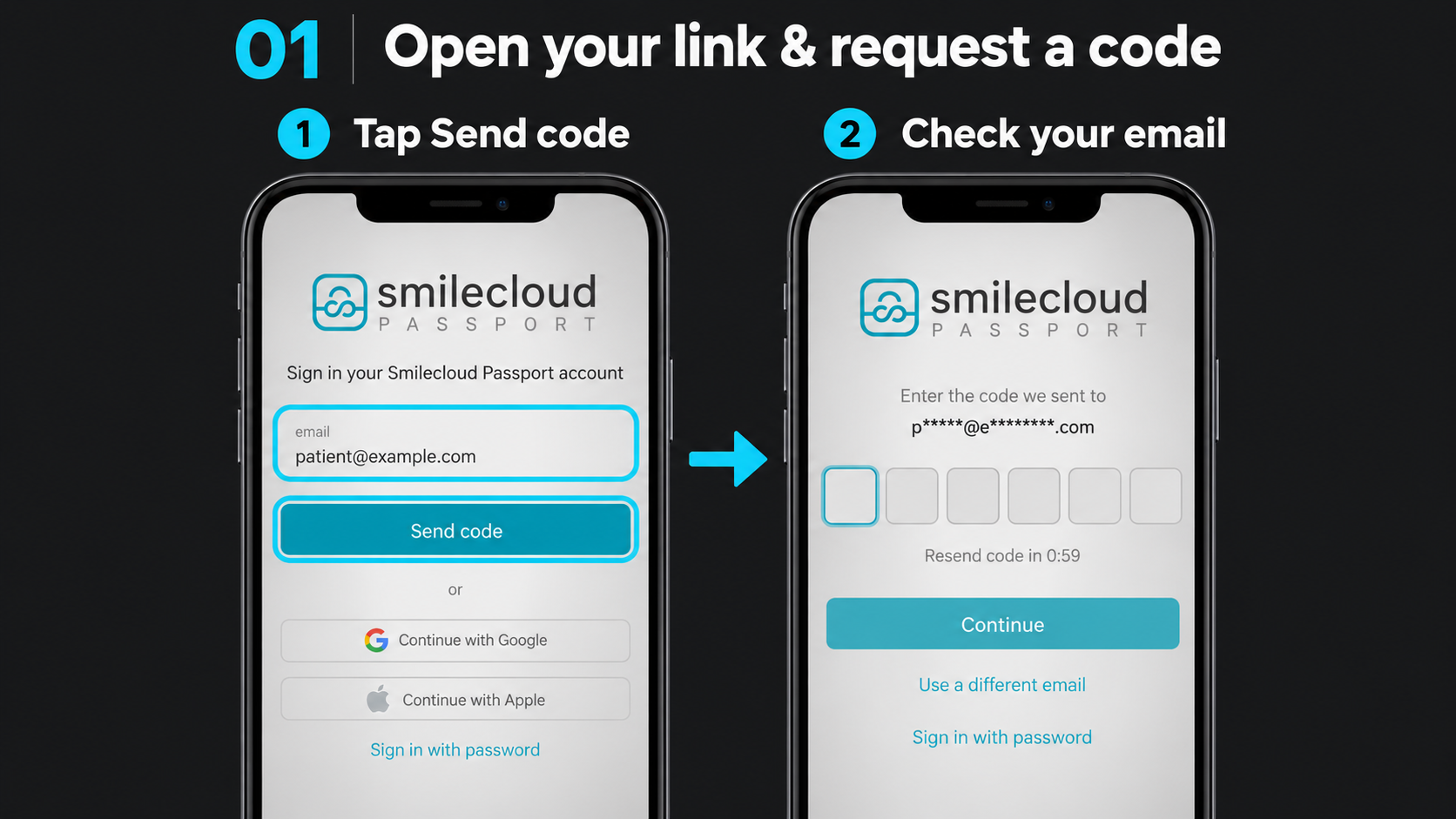
1. Open your link and request a code
If you’re at the clinic, open your phone’s camera, scan the QR code displayed by your dentist and tap the link that appears.
- If your dentist sent you an invitation by email, open the invitation on your phone and tap the link.
- On the Passport sign-in screen, check that your email address is correct, then tap Send code.
2. Verify your email
Open your inbox and look for the email from Smilecloud with the subject “Your Smilecloud sign-in code.”
Return to the Passport screen, enter the six-digit code from the email and tap Continue. Use the code you received—the code shown in the image below is only an example.
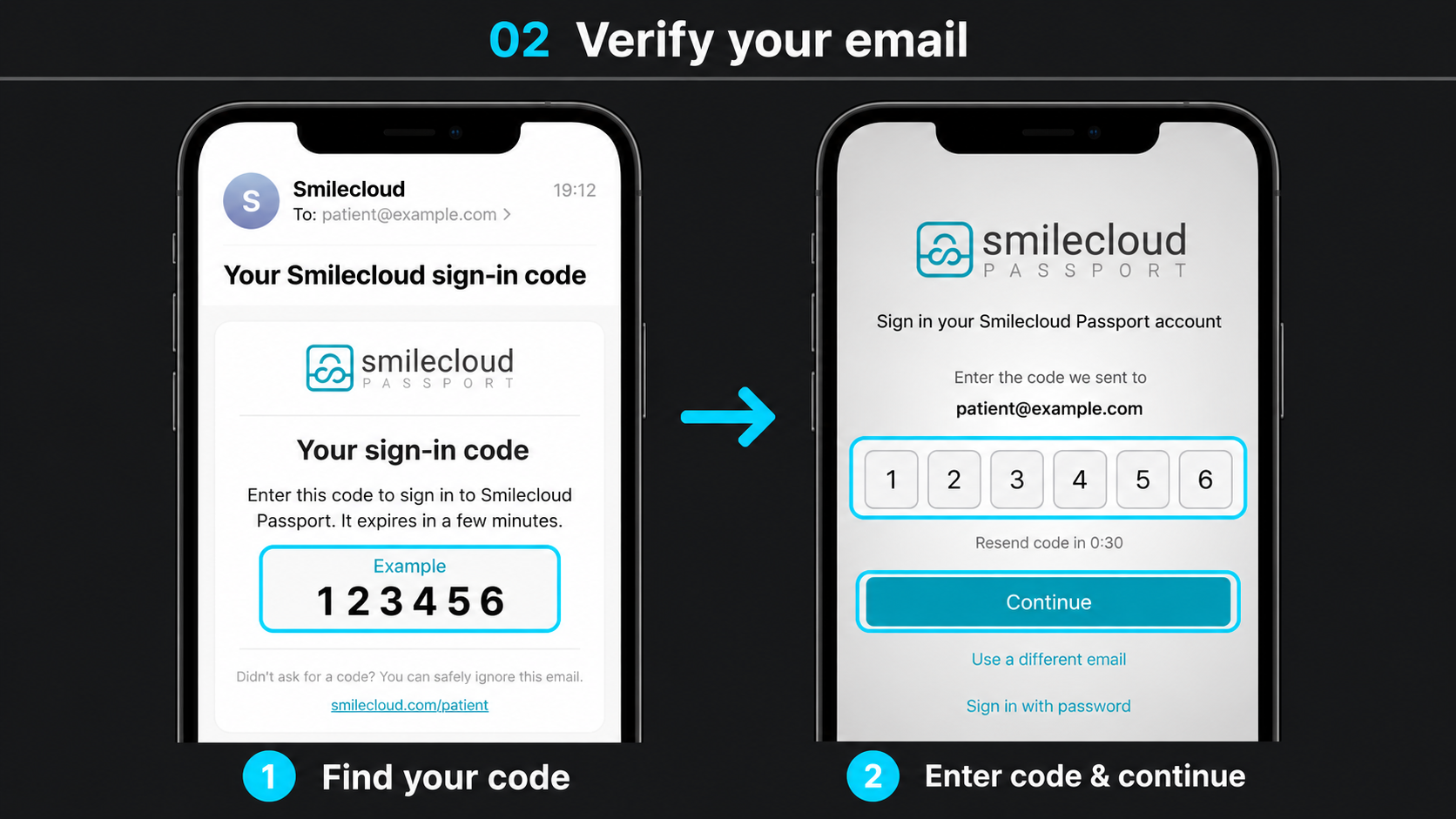
Can’t find the email? Check your spam or junk folder. If needed, wait for the on-screen countdown to finish and request a new code. If the email address is incorrect, tap Use a different email.
3. Review consent and open your Passport
Read the information and linked policies shown on your screen. If you agree, select the required consent checkbox or checkboxes, then tap Continue.
Your Passport will open, giving you access to the content your dentist has shared with you.
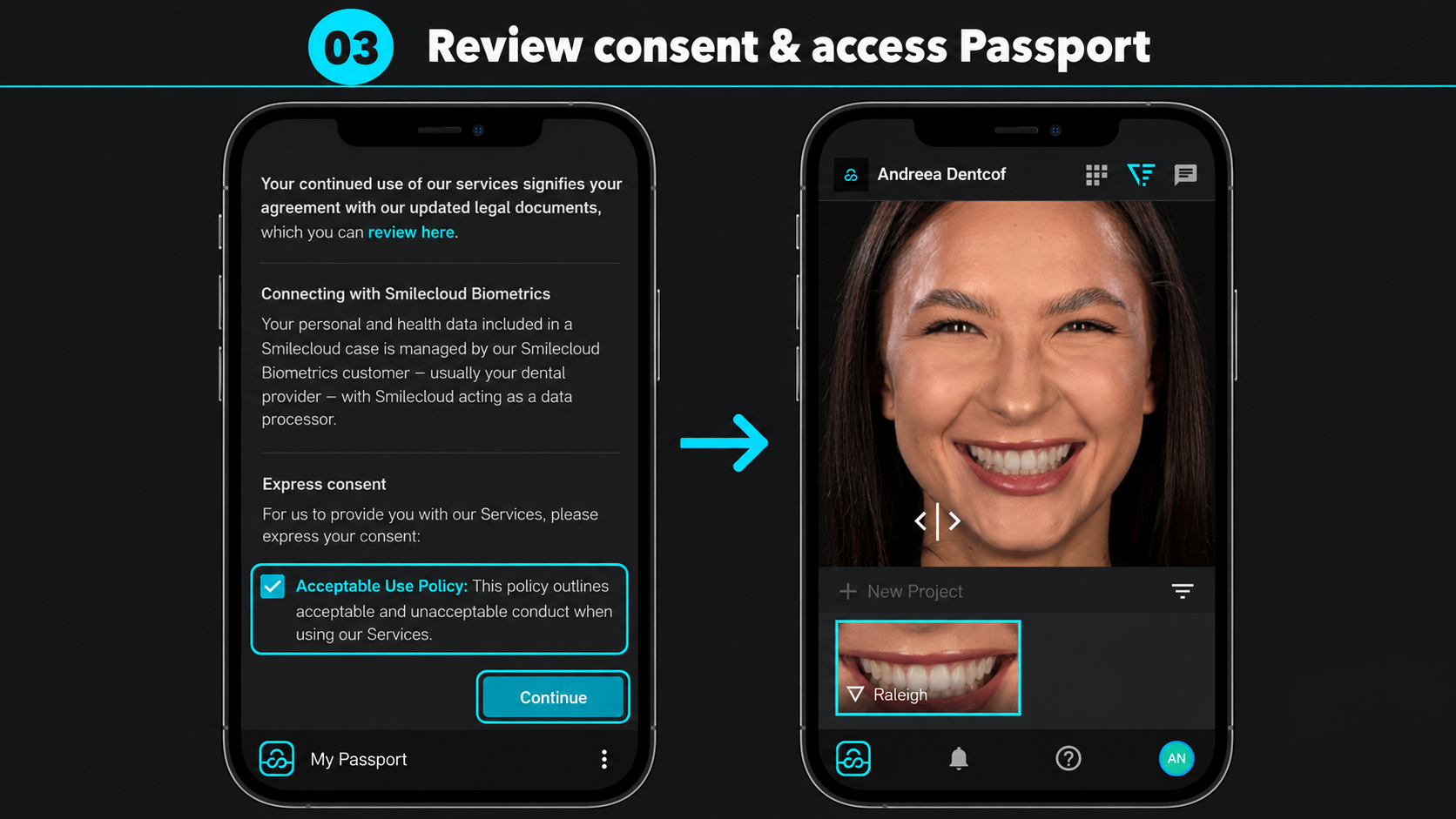
You can now explore your shared dental documentation and smile designs, and communicate with your case team. If you need help finding a file or accessing your case, contact your clinic.
Your Passport account will hold medical files that your dentist shares with you. Here is how to create the account and access: https://smilecloud.com/patient
To access your files with ease, download the mobile app and keep your data at your fingertips.
📲 Download links:
Smilecloud Passport on App Store
Smilecloud Passport on Google Play