Collections
Organise like a Pro
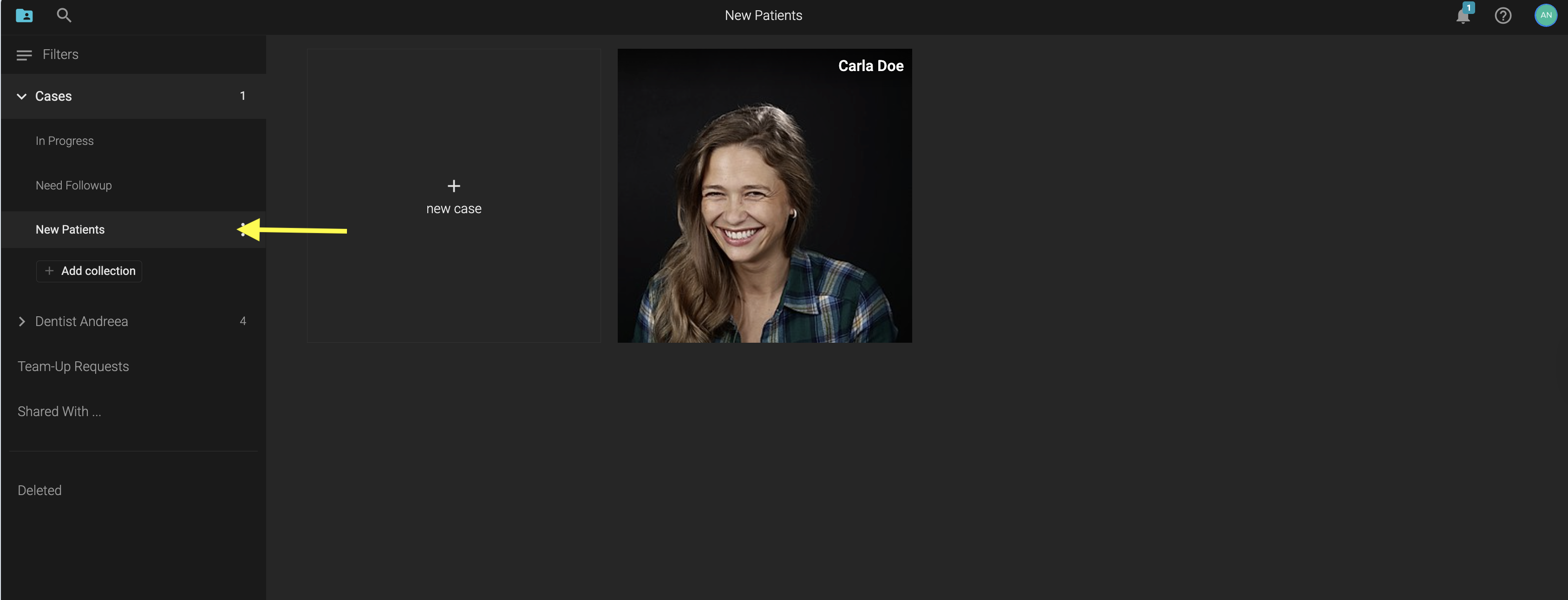
Collections are an easy tool that helps you stay organised. For example, you can organise cases based on status
- New Patients
- In progress
- Need Followup
- Finished cases
or, based on procedures like: implant cases, veneers, etc.
You can create Private Collections - which only you can see.
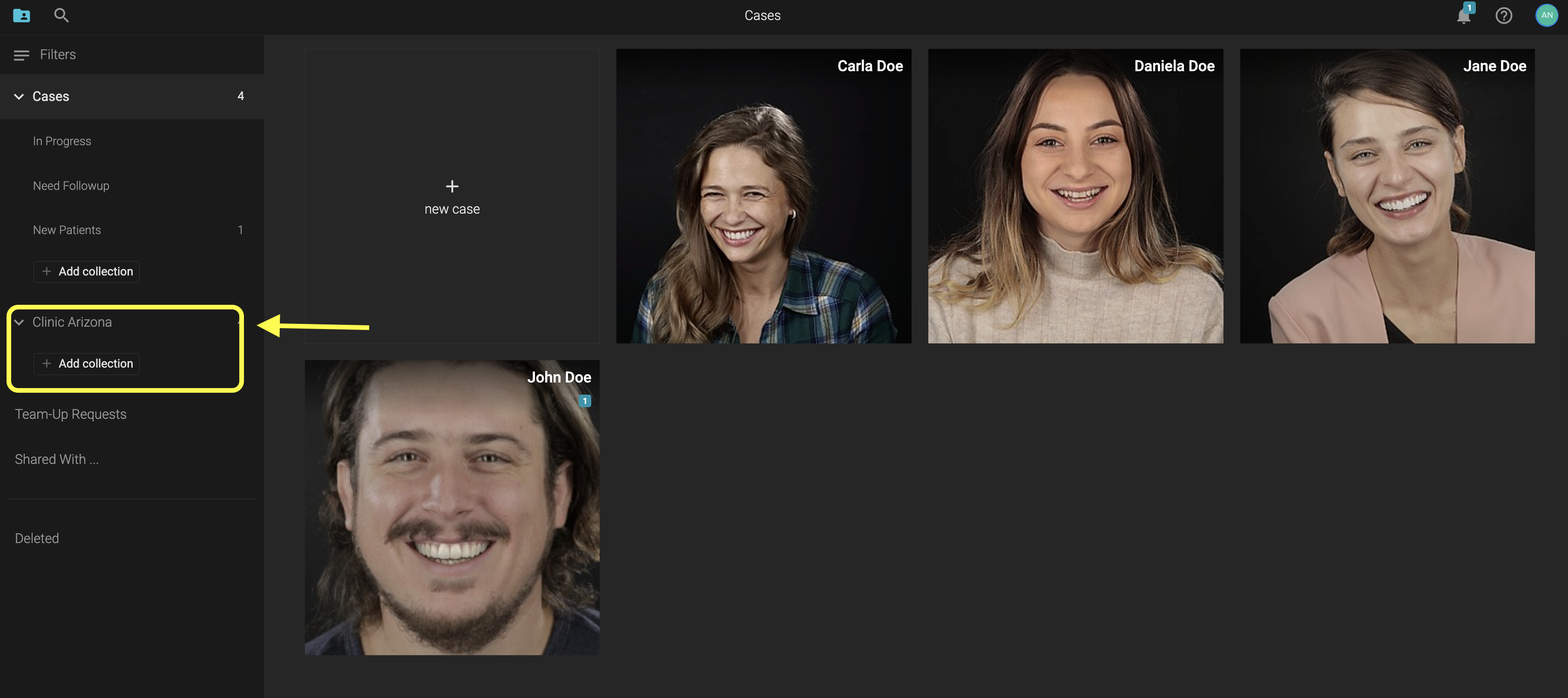
Or, Clinic Collections - shared with the members of your clinic.
Here is how to Create a Private Collection:
- Under Cases -> Click on +Add Collection
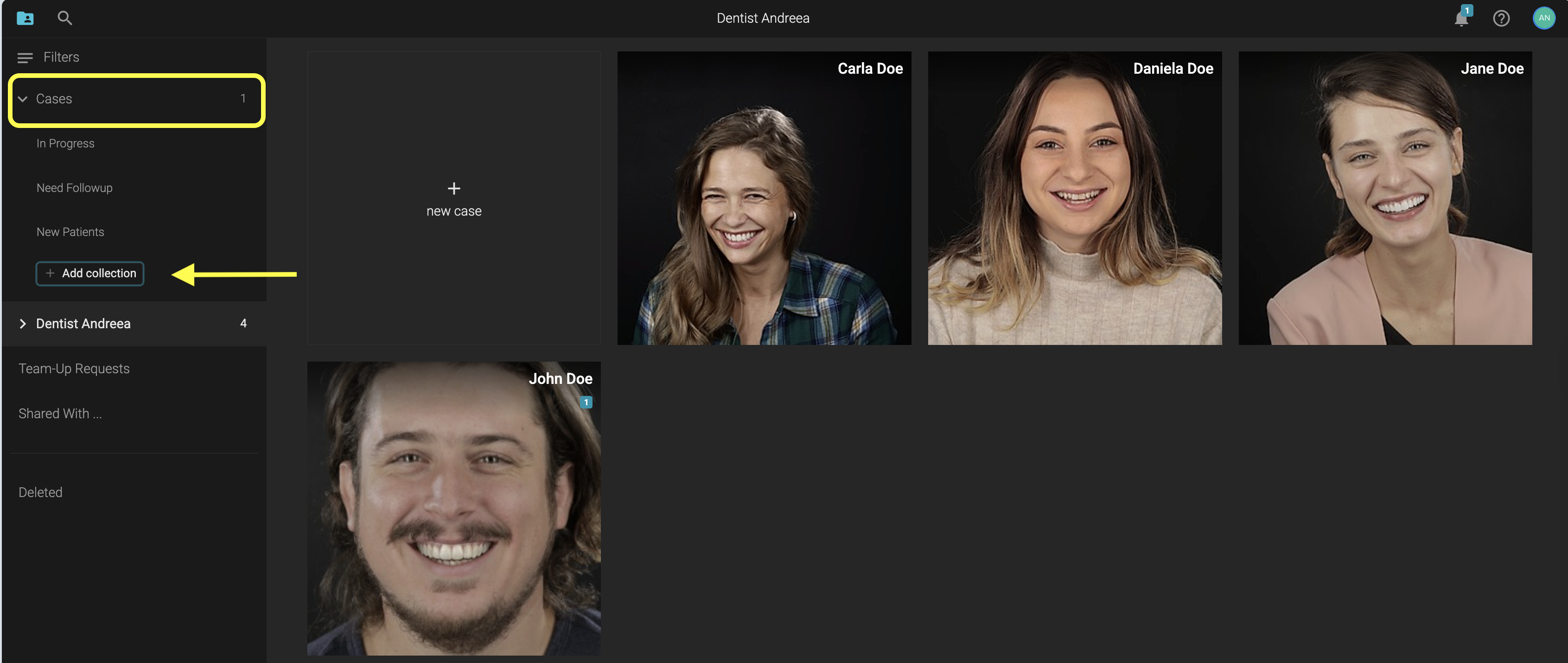
- Name the collection and click Create

Then, Select the case or cases you want
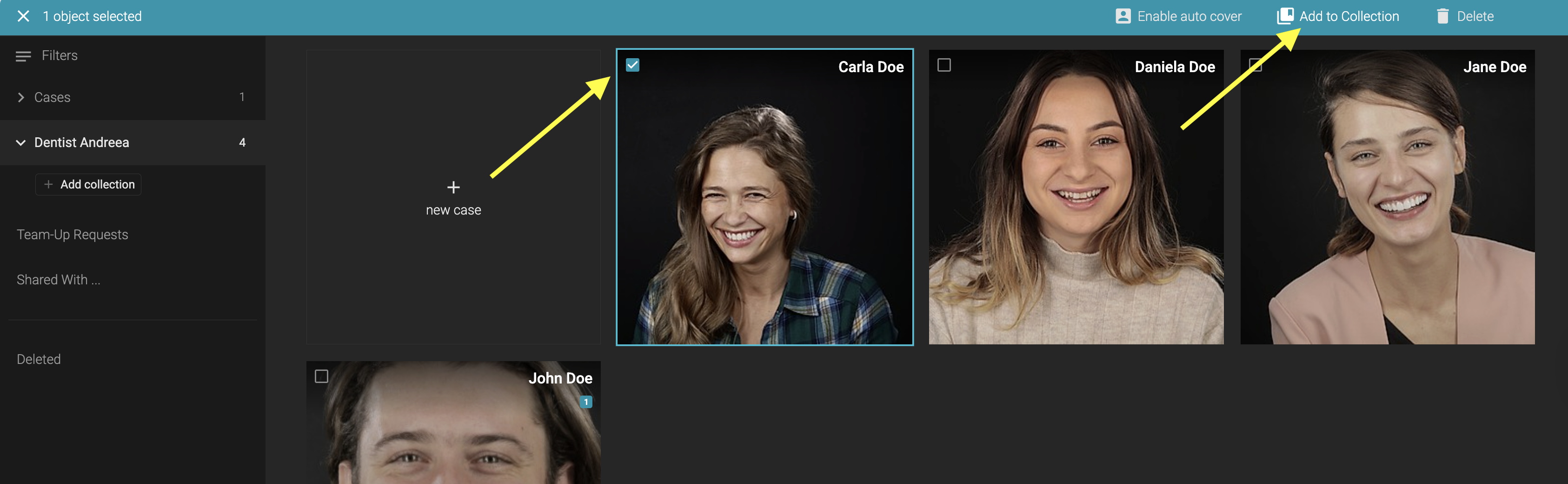
And add it to one or more collections.
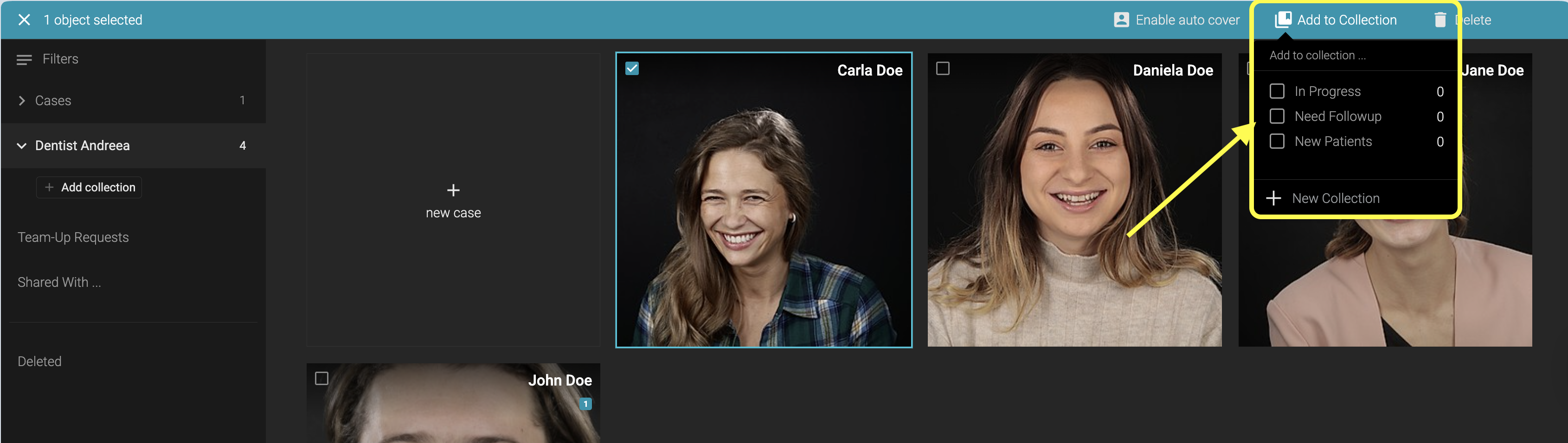
Click on a Collection to show the cases added to it.
To create a Shared Collection, use the dropdown under the Clinic Name
- +Add Collection
- You will be informed that this collection is visible to the clinic members