
Contacting Smilecloud Support
You can contact Smilecloud Support directly from your account, or from the Smilecloud website if you’re not logged in.
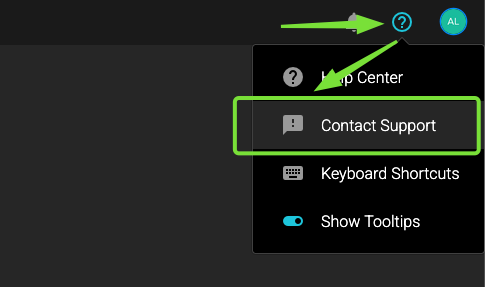
If you’re logged in, click the question mark icon in the upper-right corner of your workspace, then select “Contact Support.”
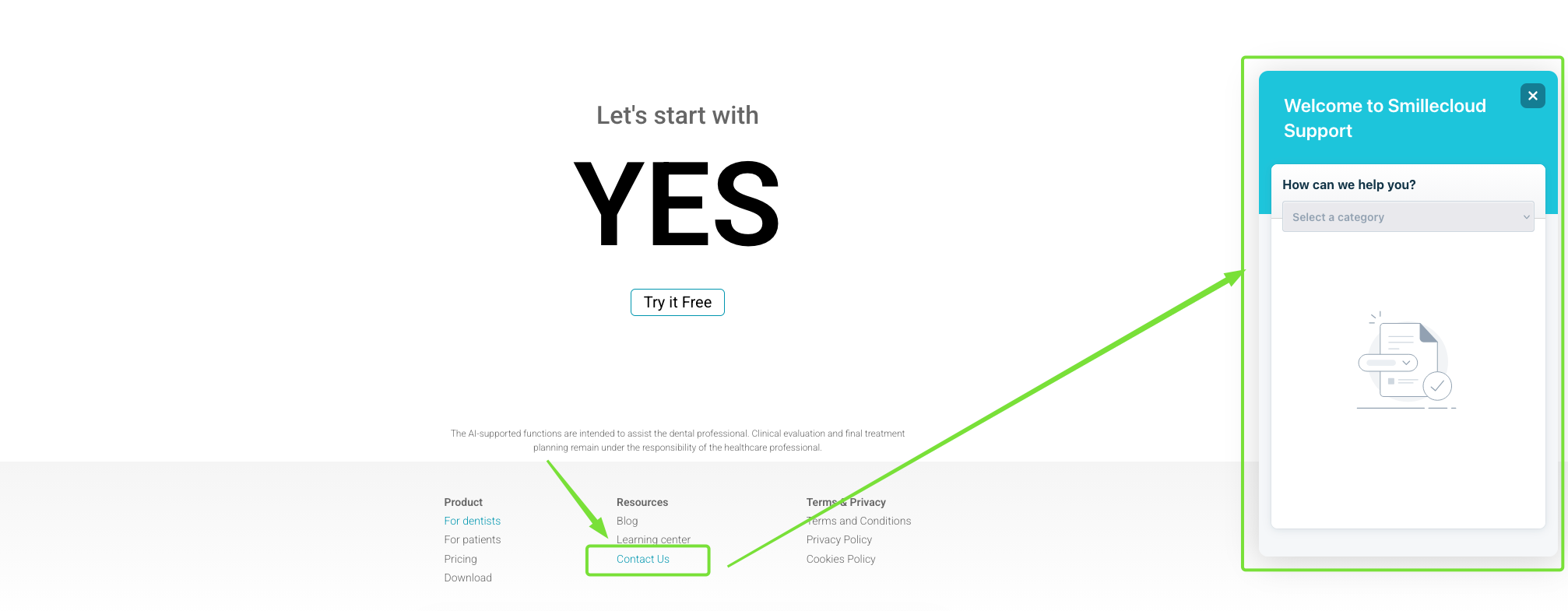
If you’re not logged in, go to smilecloud.com, scroll to the bottom of the page, and click “Contact us” in the footer. From there, you can submit your support request.
If you are an account holder, for the fastest support experience, we recommend contacting us while logged in. This automatically gives our team the account details they need to better understand your request and assist you more quickly.
Once your request is submitted, you’re all set. A member of our support team will get back to you shortly.