
Convert and Visualize CBCT in 3D
Stack. Align. Measure.
*Available in Trial and Business plans.
The Review feature allows you to visualize, stack, and evaluate CBCT files in 3D.
Step 1. Upload your CBCT file
CBCT data may come as:
- A single file, or
- Multiple “slices” (anywhere between 1–800
.dcmfiles).
Before uploading to Smilecloud, make sure your file is unzipped.
- Select all
.dcmfiles - Drag & drop them into Documentation
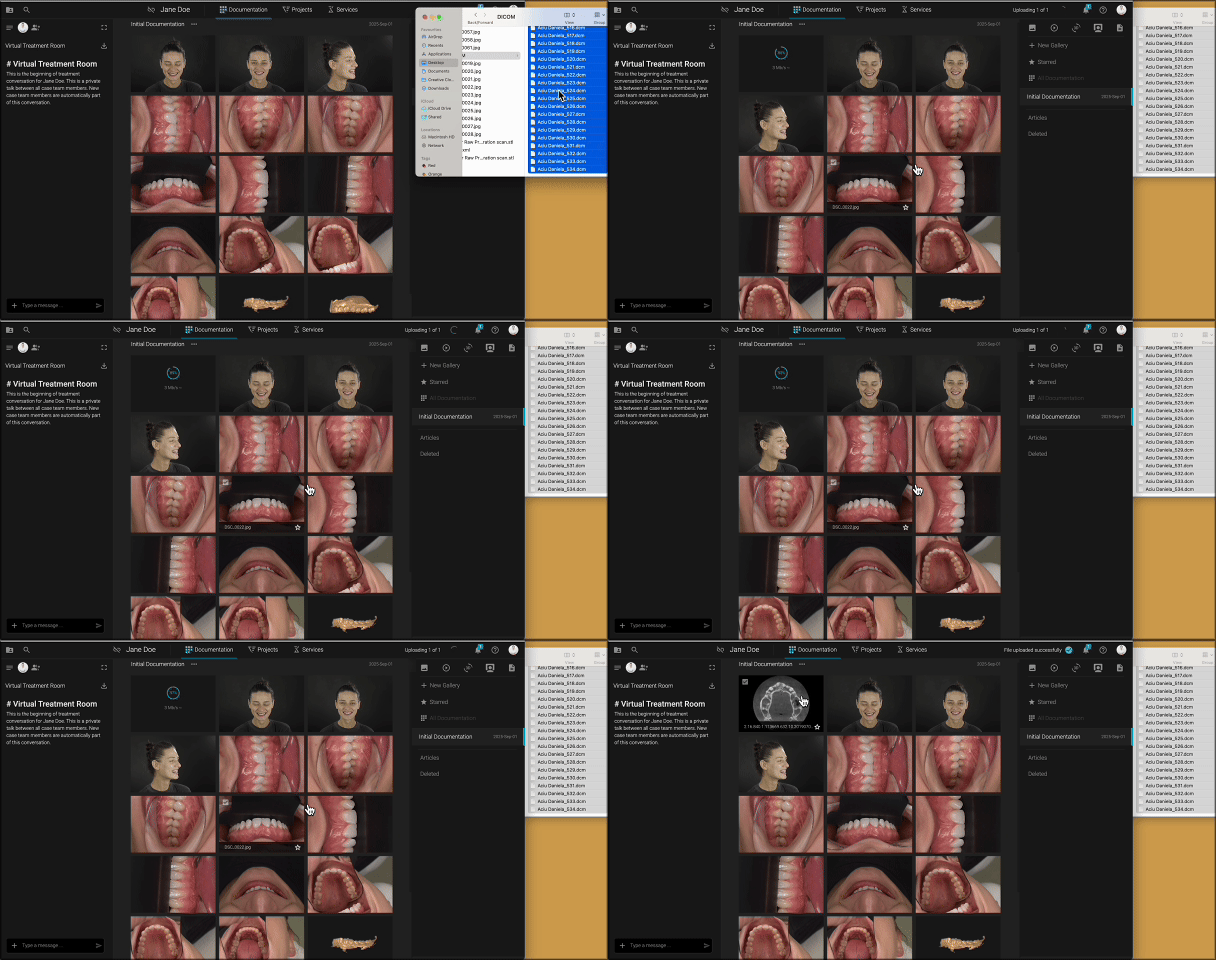
📌 In Documentation, you can only preview CBCT in 2D planes.
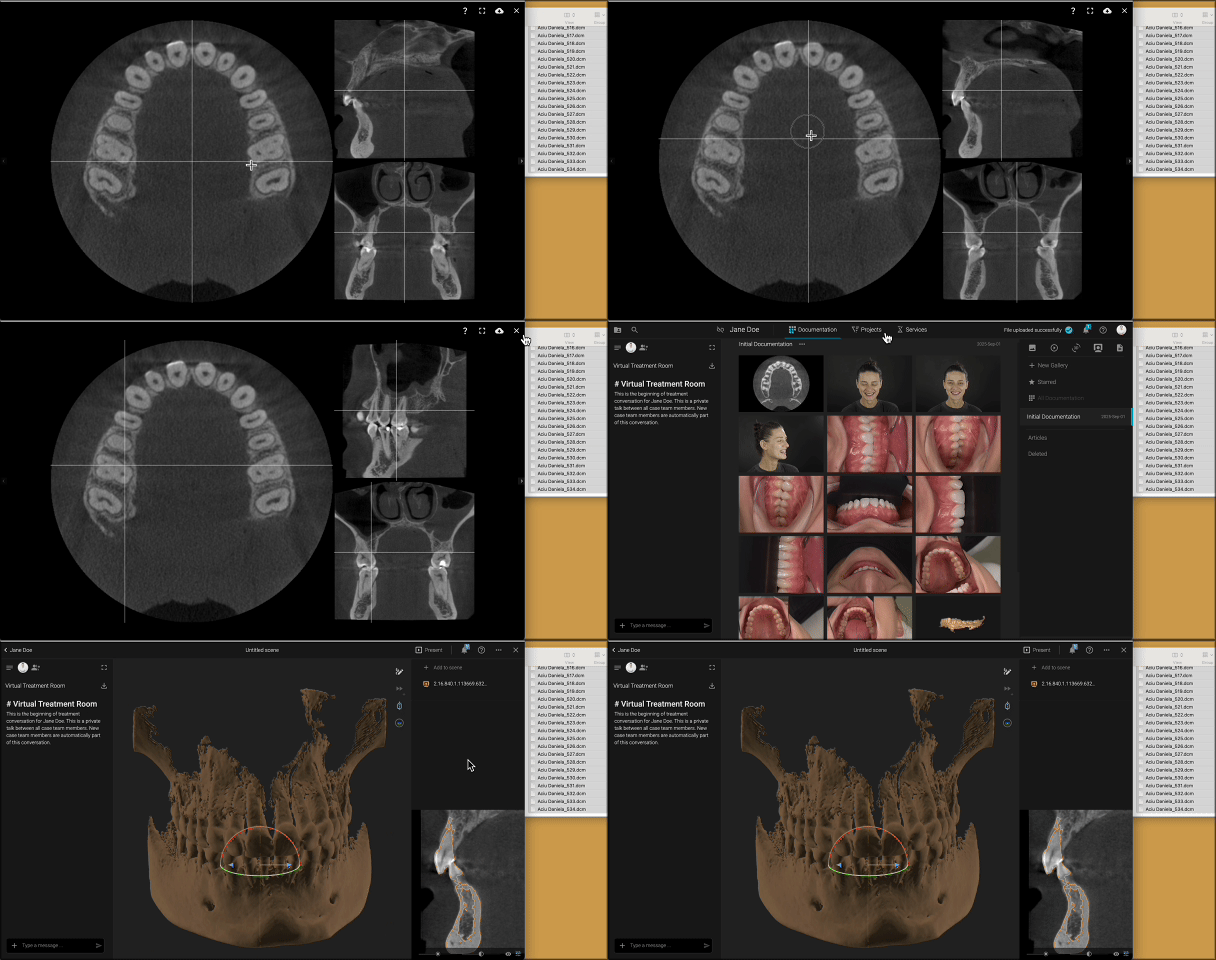
Step 2. Open in Review
To unlock 3D visualization:
- Go to Projects
- Select Review
- Choose your CBCT file
- Set the density and Add to Scene
Inside Review, you can:
- Create cross-sections (double click anywhere)
- Measure distances directly in 3D
Step 3. Align with scans
For a comprehensive view, you can align your CBCT with intraoral scans.
👉 Follow the steps in this guide: Align 3D files