
Add an Additional Billing Email
Every time a new invoice is issued, Smilecloud automatically sends it to the email address linked to your account.
But we understand that billing often needs to reach someone else too, such as your office manager, finance department, accountant, or a dedicated billing inbox. To make that easier, Smilecloud lets you add an additional billing email directly from your account.
This does not change the email address you use to log in. It simply adds another recipient for future invoices.
How to add an additional billing email
First, log in to your Smilecloud account.
From your workspace, go to Plan and Billing.
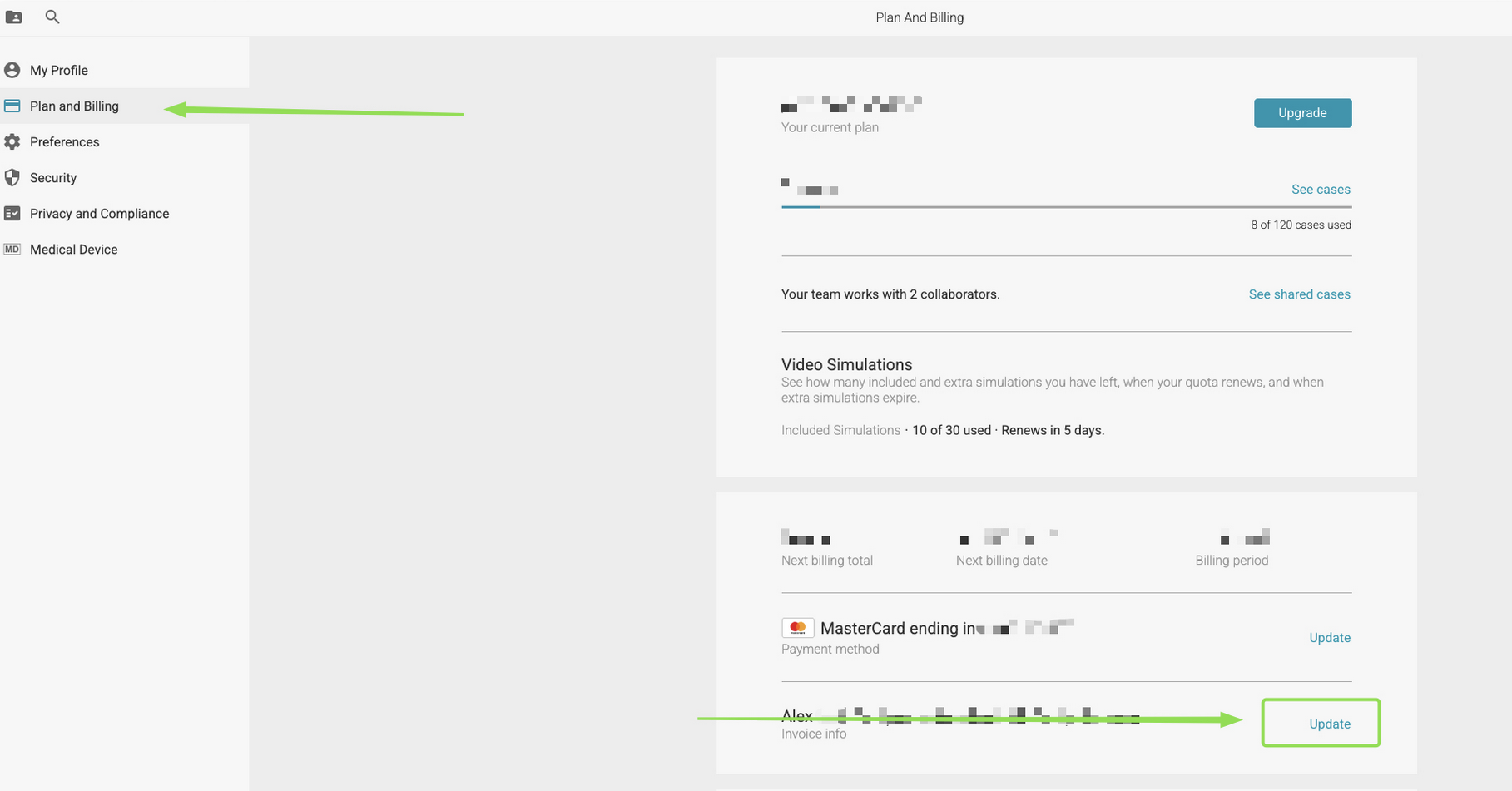
In the billing section, find your Invoice info and click Update.
A pop-up window titled Update billing information will appear. At the bottom of this window, you’ll find the Billing email field.
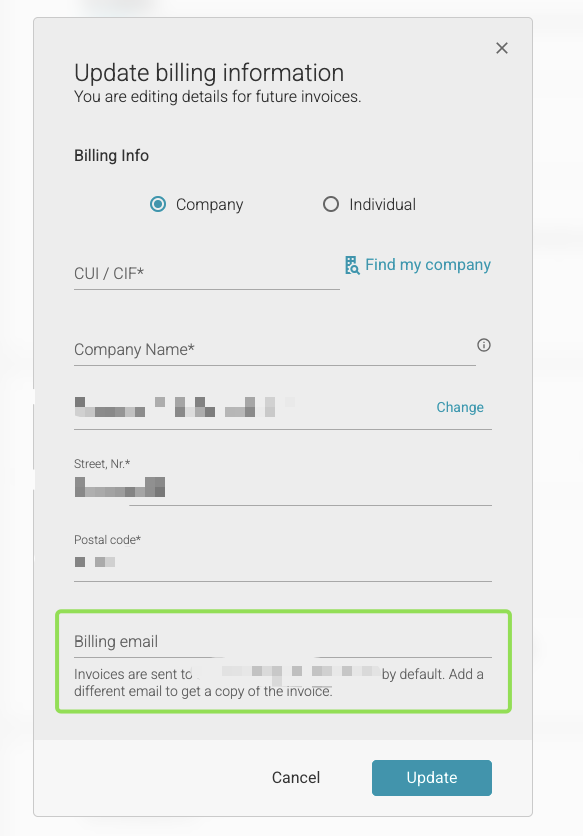
Enter the additional email address where you’d like invoice copies to be sent.
Once you’re done, click Update.
That’s it. All future invoices will be sent to the email address linked to your Smilecloud account, as well as to the additional billing email you added.
As always all of your invoices can be found in this section and can be downloaded as you see fit.