
Account deletion
Deleting your Smilecloud account is not handled automatically. We do this to help ensure you don’t lose any documented cases before you’ve had the chance to download and save them.
Under the EU GDPR (Article 17), individuals have the Right to Erasure, often referred to as the Right to be Forgotten. This gives you the ability to request the deletion of your personal data from organisations.
Once you’ve safely saved your data and are certain you’d like to proceed, simply contact our support team. One of our agents will take care of the process for you and keep you updated every step of the way.
You can reach a support agent either from within your account while logged in to Smilecloud, or from the footer of the smilecloud.com landing page if you are not logged in.
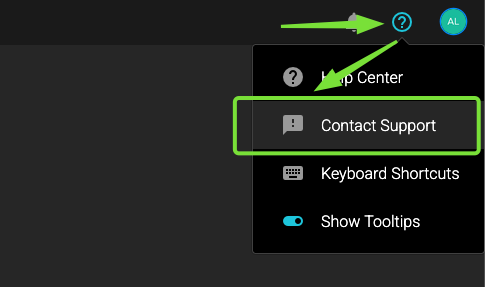
If you are logged in, click the question mark button in the upper-right corner, then select “Contact Support”.
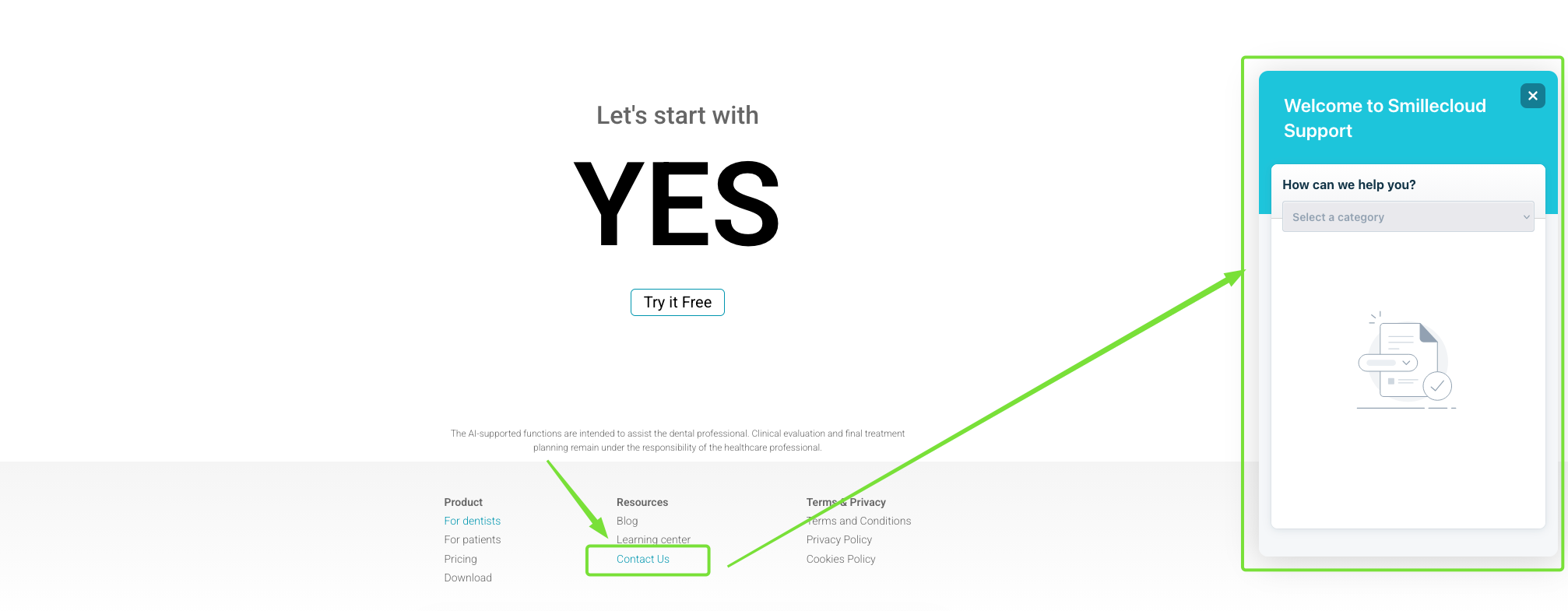
If you are not logged in, but know you have an account with us, go to smilecloud.com, scroll to the bottom of the landing page, and in the footer you’ll find the "Contact us" button. Click it and submit your deletion request.
And that’s it.
We’re sorry to see you go, and we’re grateful you were here.